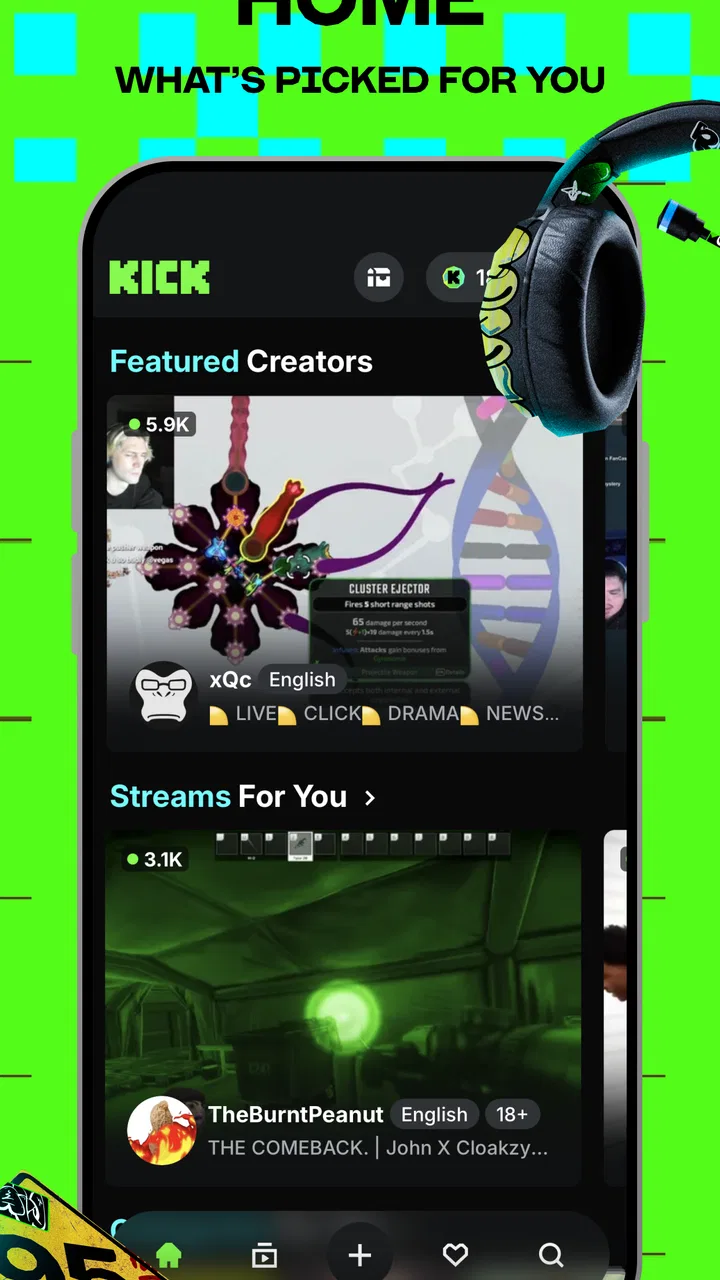
KICK: Live Streaming
- 4.6
- Rating
- 50.00M
- Installs
- Free
- Price

 Analysis by App-foxy
I spent time with KICK: Live Streaming as an entertainment app, using it less like a television replacement and more like a doorway into live online communities. That distinction matters. The appeal is not simply pressing play on a video; it is choosing a creator, event, or conversation that is happening now and deciding whether you want to watch quietly or become part of the chat. If you enjoy live content and dislike waiting for edited uploads, KICK has a clear reason to exist.
My first impression was that the app is easiest to judge by your viewing habits. If you already follow live creators, the central question is whether KICK gives you enough of the people and topics you care about to justify adding another streaming destination. If you mainly watch polished series, short clips, or on-demand films, the live format may feel less convenient. The right choice depends more on how much you value immediacy than on how many videos you watch.
What I looked for before recommending it
When I assess a live-streaming app, I pay attention to more than the number of channels on the screen. I want to know whether browsing feels purposeful, whether a newcomer can understand what is happening in a chat, and whether the app works for both short visits and longer viewing sessions. I also consider how much effort it takes to move from watching to following a creator, because a crowded live platform can become tiring if every decision feels like searching through noise.
You May Also Like

 Pandora - Music & Podcasts
Pandora’s Music Is Easy to Start, but Harder to Recover
Pandora’s strength is its low-effort path from a seed to a station. Its weak spot is how much confidence it asks you to place in connection, setup, and quiet recovery.

 AccuWeather: Weather Radar
AccuWeather Review: A Quick, Clear Forecast for Everyday Decisions
For everyday plans, the best forecast is the one you can understand quickly. AccuWeather makes rain timing, radar, and local conditions easy to act on, with a few trade-offs.

 Hill Climb Racing
Why Hill Climb Racing Still Turns Crashes Into One More Run
A tiny car, a bumpy hill and one more upgrade: Hill Climb Racing keeps resurfacing because its simple chaos makes every near-miss feel personal.

 AliExpress - Shopping App
AliExpress Makes Global Shopping Feel Personal, but Shoppers Bear the Risk
AliExpress turns a global marketplace into a pocket-sized discovery engine. Its reach is useful, its shopping loop compelling, and its trade-offs easy to miss.

 Lords Mobile: Kingdom Wars
Lords Mobile Is a Kingdom-Building Routine, Not a Quick Match
A case-by-case verdict on the building, battles, device demands, and social commitments that make Lords Mobile rewarding for some players and exhausting for others.

 PDF Scanner app - TapScanner
TapScanner Makes Paperwork Easier to Capture, Check, and Share
TapScanner makes scanning with a phone feel less like a rescue operation and more like a dependable step in getting work done. Its capture tools are useful, though not flawless.
More From Our News Desk
View All News


KICK is developed by KICK - Live Streaming and is available as a free entertainment app for teenagers and older users. It has reached over ten million installs, with an average rating of 4.6 from around 224 thousand ratings. Those figures suggest that it has moved beyond being a curiosity for a small group of early users, although popularity alone does not guarantee that its content will match your interests.
The app was released on March 31, 2023, which gives its identity a relatively modern feel compared with older video platforms. I noticed that this can be both attractive and inconvenient: a newer destination can feel more focused on live discovery, but it may not have the same deeply established viewing habits that people already have elsewhere. In practice, I would treat it as a companion to other entertainment apps first, then decide whether it deserves to become my main live-streaming home.
One useful test is to open it when you have only ten minutes. Can you quickly find something worth watching, or do you end up scrolling without a clear reason? A second test is to return when you have an hour. Does the live format keep you engaged, or do you miss the control of pausing, skipping, and choosing a finished video? These two situations reveal more about the app’s fit than a quick glance at its download page.
How the live format changes the experience
Live content has a different rhythm from recorded entertainment. A creator may spend time answering messages, waiting for a match, preparing a topic, or reacting to events as they happen. I found that this slower, less predictable pacing can be exactly what makes a stream feel personal. It can also be the reason someone leaves after a few minutes.
For a viewer, the advantage is shared timing. When something interesting happens, other people are reacting at the same moment. That creates a sense of occasion that an edited upload often lacks. The trade-off is that you cannot assume every minute will be equally rewarding. I recommend giving a channel enough time to establish its mood before deciding, but not forcing yourself to stay when the format clearly does not suit you.
Chat is another important part of the decision. A live stream can feel more welcoming when messages help explain an inside joke or add useful context. It can feel distracting when the conversation moves too quickly or becomes dominated by a small group. I found it helpful to treat chat as an optional layer rather than the entire experience: watch the stream first, then participate when I actually have something to add.
Where KICK feels strongest
The clearest strength is immediacy. KICK is built around the idea that entertainment can be discovered while it is unfolding, rather than after someone has edited it into a finished package. That makes it particularly appealing for people who enjoy creator-led broadcasts, live reactions, and the feeling of arriving at an event with other viewers.
I also like the potential for routine. Instead of opening a general video service and deciding among thousands of finished uploads, I can use a live platform as part of a daily pattern: check what is happening, stay for a few minutes, and return later if a channel becomes interesting. This works well for background viewing while doing simple tasks, provided I am comfortable with content that may change direction without warning.
Another strength is the social context. Even when I do not type anything, seeing a live audience respond gives a broadcast more energy. For someone who watches alone, that shared atmosphere can make a stream feel less isolated. It is not the same as speaking with friends, but it offers a lightweight form of company that ordinary on-demand playback does not always provide.
The app is also a reasonable option for people who want to explore outside the most familiar entertainment routines. A live platform encourages curiosity because the next worthwhile channel may not be something I would have searched for directly. My practical advice is to judge a stream by its consistency of interest rather than by its first minute. Live creators often take time to settle into a conversation or activity.
Three ways I would use it differently from a casual viewer
First, I would build a small personal shortlist instead of trying to monitor everything. Following too many live channels can turn discovery into an endless notification problem, while a focused group makes the app easier to revisit. I would keep only creators whose style works in more than one situation: someone suitable for background listening, someone engaging when I can watch closely, and perhaps someone whose broadcasts are useful for a particular interest.
Second, I would separate “watching” from “participating.” New users often feel pressure to chat immediately, but that can make a stream feel like work. I would spend the first visit learning the creator’s tone and the community’s habits. On a later visit, I could decide whether the conversation is worth joining. This small delay helps avoid confusing a lively chat with a genuinely good channel.
Third, I would use short sessions as a filter. A stream that is enjoyable only after a long wait may still be worthwhile for dedicated fans, but it is not ideal for someone looking for quick entertainment. Testing a channel during a brief break tells me whether its appeal is immediate or dependent on extended commitment. That is especially useful when comparing KICK with recorded video, where I can usually skip directly to the part I want.
Where another type of app may fit better
KICK is not automatically the best choice for every entertainment viewer. If I want a precise story, a film, or a carefully edited tutorial, an on-demand video service is usually more efficient. Those platforms let me pause, resume, search within a library, and choose a predictable length. A live broadcast asks me to accept the creator’s timing instead.
Short-form video apps may be better for someone who wants rapid novelty. Their main strength is quick, highly compressed entertainment, while KICK asks me to spend more time with a live personality or community. Neither approach is universally superior. I would choose KICK when the relationship with the channel matters more than consuming as many separate clips as possible.
Audio-first apps can also be a better fit when I am commuting, exercising, or working away from a screen. Live video is less convenient when I cannot look at the display, and the visual side may be part of what makes a broadcast worthwhile. In that situation, a podcast or live audio option may offer a smoother experience.
There is also a practical difference between a general social network and a dedicated live-streaming destination. A social feed is useful when I want messages, images, clips, and updates in one place. KICK makes more sense when the broadcast itself is the center of attention. I would not replace every social app with it; I would use it when live viewing is the specific activity I want.
Everyday scenarios that reveal the trade-offs
Imagine finishing dinner with half an hour before bed. I might open KICK expecting a relaxed stream and find a creator already deep into a conversation. That can be more satisfying than choosing a full episode, because I can join without committing to a complete program. On another evening, I might discover that the available streams do not match my mood, and the lack of a neatly packaged alternative would make the app feel less useful.
For a student taking a break, the app can provide a quick social change of pace. The danger is that live content has no natural stopping point. A finished video ends; a successful broadcast may continue, and chat activity can encourage me to stay longer than planned. I would set my own stopping point rather than waiting for the stream to provide one.
For someone who follows a particular creator, the value is much clearer. Returning to a familiar channel removes much of the uncertainty of browsing. The app becomes a place to check in rather than a huge catalogue to decode. For a newcomer with no preferred creators, the first few sessions require more patience and judgment.
Families should also pay attention to the Teen content rating. Live broadcasts are less predictable than edited entertainment, so I would not treat the rating as a substitute for personal supervision. A teenager may appreciate the social side, but the open-ended nature of live chat means that thoughtful viewing habits still matter.
Free to install does not mean every choice is cost-free
The app itself is free, which makes trying it relatively easy. There are in-app purchases ranging from $1.59 to $299.99 per item, so I would approach optional spending carefully. The wide range means that a casual viewer should not assume every payment is a small add-on. Before buying anything, I would check exactly what the purchase provides and whether it improves my experience enough to justify the expense.
This is where the cost of switching becomes important. If I already use another live platform, moving completely may require rebuilding my follows, learning a different community culture, and accepting that my favorite creators may not be in the same place. I would not delete an existing service on the first day. I would run KICK alongside it for a week or two, note which app I actually open, and then decide whether maintaining both is worthwhile.
There is also a time cost. Discovering good live channels takes attention, and the reward is not guaranteed on every visit. I would avoid turning the app into an automatic habit by choosing a purpose before opening it: catch a particular broadcast, explore for ten minutes, or spend time with a known channel. That keeps the free price from hiding the real cost of unplanned screen time.
Small frictions I would want new users to expect
The biggest limitation is the uncertainty built into live entertainment. A stream can be excellent one day and slow the next, depending on the subject, the audience, and the creator’s energy. Someone who expects consistent, edited quality may interpret that natural variation as poor performance. I see it as part of the format, but it still requires the right expectations.
Discovery can also be a mixed experience. A large live catalogue gives me choice, yet choice is not the same as guidance. I need to develop my own method for deciding which channels deserve time. That is why a shortlist, brief trial sessions, and selective following are more useful than trying to browse indefinitely.
Chat may create friction for viewers who prefer quiet, controlled entertainment. Even when I enjoy a broadcast, a busy conversation can pull attention away from the creator. I would treat chat as something to dip into rather than something I must constantly read. If the social layer becomes tiring, watching passively may restore some of the app’s value.
Finally, live viewing is demanding in a way that a store summary cannot show. It asks for patience, attention, and tolerance for interruptions or detours. I would skip KICK if I want every minute to be optimized, if I need reliable offline-style viewing, or if I strongly prefer content that fits neatly into a planned schedule.
My recommendation after weighing the alternatives
I recommend KICK to viewers who want live interaction, creator-focused entertainment, and the feeling of sharing a moment with an audience. It is especially worth trying if your current routine feels too polished or passive and you want broadcasts that develop in real time. The free entry point makes experimentation sensible, as long as you keep optional purchases and screen time under control.
I would recommend starting with a narrow goal: find a few channels that genuinely suit your interests, test them in both short and long sessions, and decide whether the live pacing works for you. Do not judge the entire service from one quiet broadcast, but do not assume every stream will become a favorite either. The app rewards selective viewing more than endless scrolling.
For me, KICK is best understood as a complement rather than a universal replacement for recorded video, short clips, podcasts, or social feeds. Its strongest moments come from immediacy and community; its weakest moments come when I need certainty, efficiency, or complete control over the pace. With a 4.6 average and more than ten million installs, it has clearly found a substantial audience, but the personal fit still depends on whether live entertainment is what I actually want.
My final advice is simple: try it if the shared, unfinished nature of a live broadcast sounds appealing. If you would rather press play on a perfectly shaped program and know exactly how it will unfold, another category of app will probably serve you better. For viewers willing to explore, participate selectively, and accept a little unpredictability, KICK: Live Streaming is a convincing free addition to an entertainment lineup.
FAQs for KICK: Live Streaming
01What is KICK: Live Streaming and how does it work?
KICK: Live Streaming is a platform that allows users to broadcast and watch live video content. It’s designed for creators and viewers who enjoy real-time interaction. Users can stream a variety of content, from gaming to lifestyle, and engage with audiences through chat features. The app supports both Android and iOS devices, offering a seamless streaming experience.
02Is KICK: Live Streaming free to use?
Yes, KICK: Live Streaming is free to download and use. However, it may offer in-app purchases or subscriptions for additional features. These might include enhanced streaming quality, unique chat features, or exclusive content access. Users should review any potential costs associated with these extras before making any purchases.
03What are the main features of KICK: Live Streaming?
KICK: Live Streaming offers a range of features including high-quality video streaming, real-time chat, and interactive audience engagement tools. Streamers can customize their channels, use overlays, and integrate with social media. The app also provides analytics to help creators track their performance and audience engagement effectively.
04What devices are compatible with KICK: Live Streaming?
KICK: Live Streaming is compatible with both Android and iOS devices. Users should ensure their devices meet the minimum operating system requirements to run the app smoothly. This typically includes having the latest version of Android or iOS, sufficient RAM, and adequate storage space for optimal performance.
05How does KICK: Live Streaming ensure user safety and privacy?
KICK: Live Streaming prioritizes user safety and privacy by implementing robust security measures. The app features options for reporting and blocking inappropriate content and users. Additionally, KICK adheres to strict privacy policies to protect user data, ensuring that personal information is not shared without consent. Users are encouraged to review the app’s privacy policy for more details.
Pros
- User-friendly interface for quick navigation.
- High-quality video streaming capabilities.
- Interactive chat features enhance engagement.
- Variety of content creators to follow.
- Customizable notification settings.
Cons
- Occasional lag on slower internet connections.
- Limited parental control options.
- Ads can be intrusive during streams.
- Some content may not be suitable for all ages.
- Requires significant data usage for streaming.

KICK: Live Streaming
Gallery